
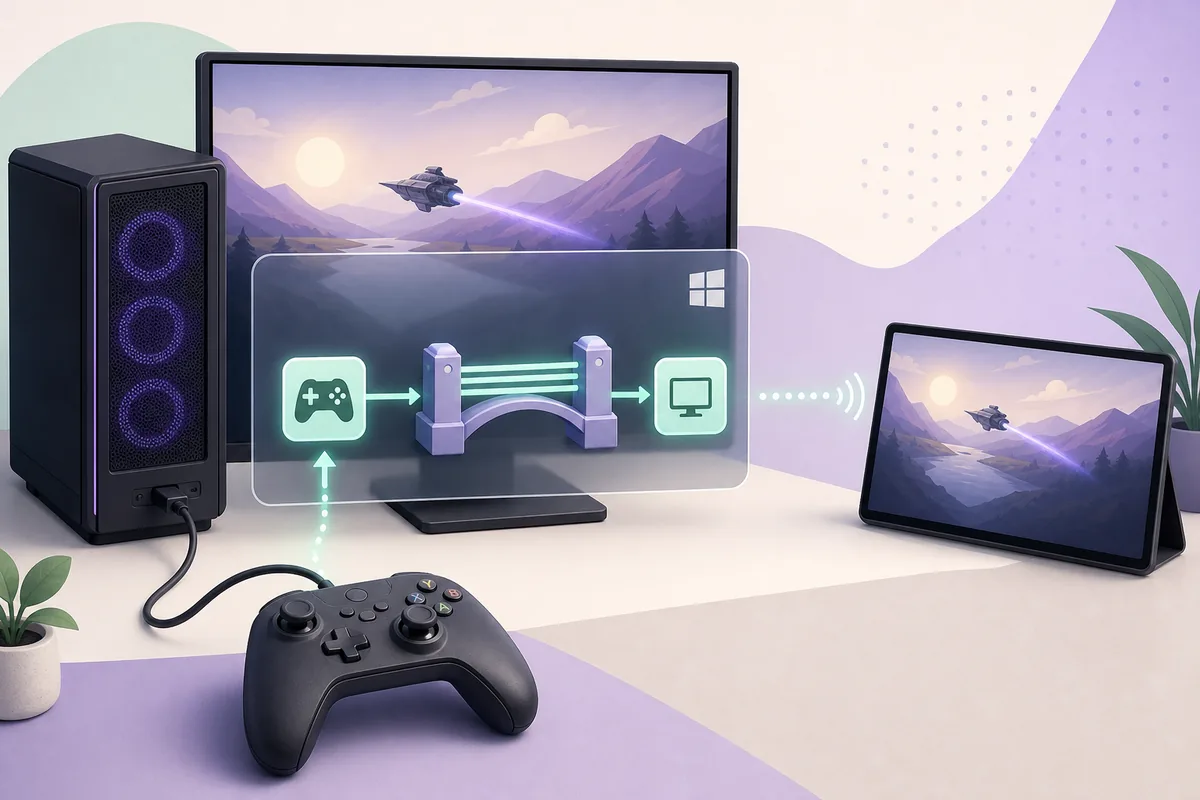
Why Sunshine uses ViGEmBus for streamed controllers
Sunshine can stream video and keyboard input without ViGEmBus, but Windows gamepad emulation needs a working virtual controller bus.
Moonlight sends controller events to the Sunshine host. Sunshine then needs a Windows driver layer that can expose those events as a virtual Xbox-style controller for games. ViGEmBus provides that kernel-level bus; it is not the streaming server, the Moonlight client, or the game controller profile.
Keeping these layers separate prevents unnecessary reinstalls. A successful Sunshine web interface does not prove the driver works, and a healthy ViGEmBus device does not prove Moonlight is forwarding controller input. Test the host application, virtual bus, client connection, and game one at a time.
| Layer | Job | Failure clue |
|---|---|---|
| Moonlight client | Sends remote controller input | No controller data reaches the host |
| Sunshine host | Receives and routes the input | Streaming works but gamepad support is unavailable |
| ViGEmBus | Creates the Windows virtual controller | Bus is missing, damaged, or duplicated |
| Game / input stack | Reads the virtual controller | Only one game fails or duplicate input appears |
Choose the correct Sunshine ViGEmBus installation path
Use Sunshine's current Windows guidance when its installer or troubleshooting page offers the controller dependency. If that managed path completes, reboot and verify the bus rather than layering a second package immediately.
When Sunshine reports that ViGEmBus installation failed, or when the dependency is missing after setup, use the original Nefarius release as the manual fallback. The latest and final verified release remains v1.22.0, published November 2, 2023. Its asset is ViGEmBus_1.22.0_x64_x86_arm64.exe, 6,278,576 bytes, and the repository is archived.
- 1
End the active stream
Disconnect Moonlight and close Sunshine before changing a kernel driver.
- 2
Use one installation path
Let Sunshine finish its dependency step, or use the verified GitHub EXE when the managed path failed. Do not alternate repeatedly between packages.
- 3
Approve Windows elevation
The driver installer needs administrator approval. Confirm the source and publisher rather than disabling Windows security controls.
- 4
Restart the host PC
A reboot is part of the installation test because it reloads the bus and clears stale handles.
Fix Sunshine ViGEmBus installer error 1603
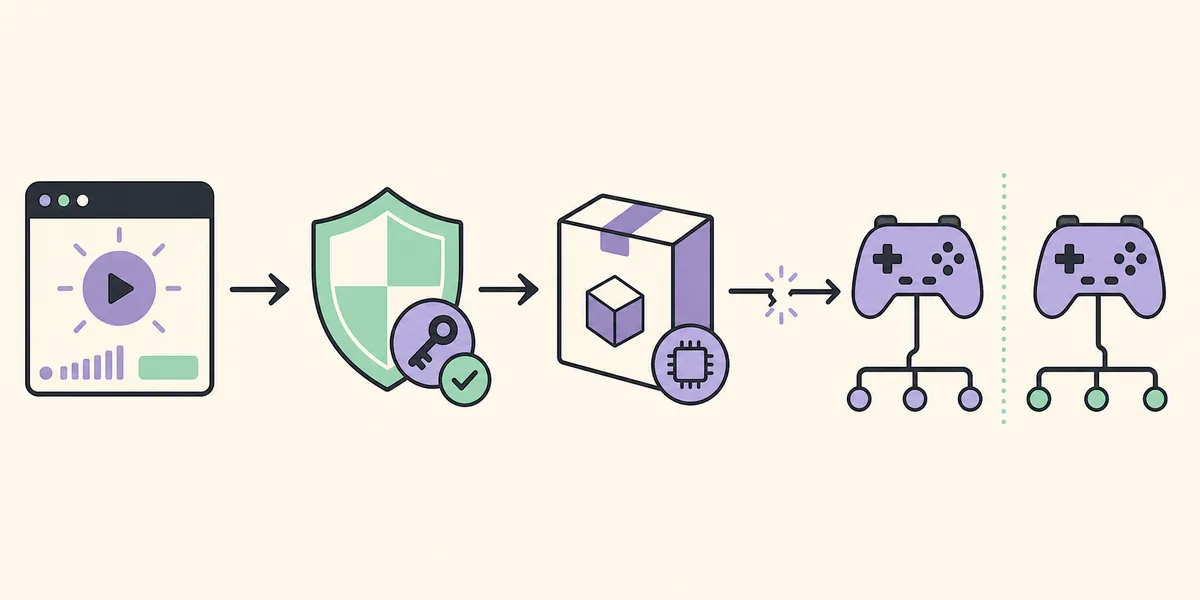
Error 1603 is a generic Windows Installer failure, so the useful fix is to identify the blocked installation state instead of repeating setup blindly.
Microsoft documents error 1603 as a fatal installation error that can occur when a product is already installed, the destination is encrypted or substituted, or the system account lacks the required permission. In a Sunshine ViGEmBus repair, the practical causes are usually an existing package state, a pending reboot, another controller service holding files, or a damaged previous installation.
Running Sunshine as administrator may help only when the dependency action genuinely lacks elevation. It does not repair a duplicate bus, a registered old package, or a pending Windows installer transaction. Use the sequence below and stop as soon as the driver becomes healthy.
| What you see | Likely cause | Safest next action |
|---|---|---|
| 1603 on the first dependency attempt | Pending reboot or blocked elevation | Restart Windows, then retry once with administrator approval |
| Installer offers Repair or Remove | ViGEmBus is already registered | Use the normal maintenance option, reboot, then verify before reinstalling |
| Installed apps shows ViGEmBus but Device Manager does not | Package registration without a healthy bus | Uninstall normally, reboot, remove only leftover Nefarius bus entries, reinstall |
| Yellow warning icon on the bus | Damaged device or driver state | Open device status, then perform a clean remove/reboot/install cycle |
| Driver is healthy but Sunshine has no gamepad | Host/client/configuration issue | Restart Sunshine, reconnect Moonlight, and test another game or controller mode |
Clean repair sequence when error 1603 keeps returning
Start with reversible Windows controls. Close Sunshine, Moonlight, DS4Windows, controller mappers, other streaming hosts, and any setup process. Restart the PC before removing anything. Then open Installed apps and use the existing Nefarius Virtual Gamepad Emulation Bus Driver entry if it is present.
After removal, reboot again and inspect Device Manager. Remove only clearly identified leftover Nefarius virtual bus entries when they remain. Do not delete physical controller, Bluetooth, Xbox, HID, HidHide, or unrelated driver-store packages. Install the verified v1.22.0 EXE once and reboot before testing Sunshine.
- 1
Close competing processes
Exit streaming hosts, controller tools, old installers, and client sessions.
- 2
Restart Windows
Complete pending setup operations and release files before the next action.
- 3
Remove the registered package normally
Use Installed apps or the setup maintenance Remove option when it appears.
- 4
Check only the Nefarius bus
After another reboot, remove an unmistakable leftover virtual bus entry only when it persists.
- 5
Install once from GitHub
Run the final official EXE, approve elevation, and reboot.
- 6
Test in layers
Verify Device Manager first, Sunshine second, Moonlight third, and the game last.
Verify ViGEmBus before testing Sunshine again
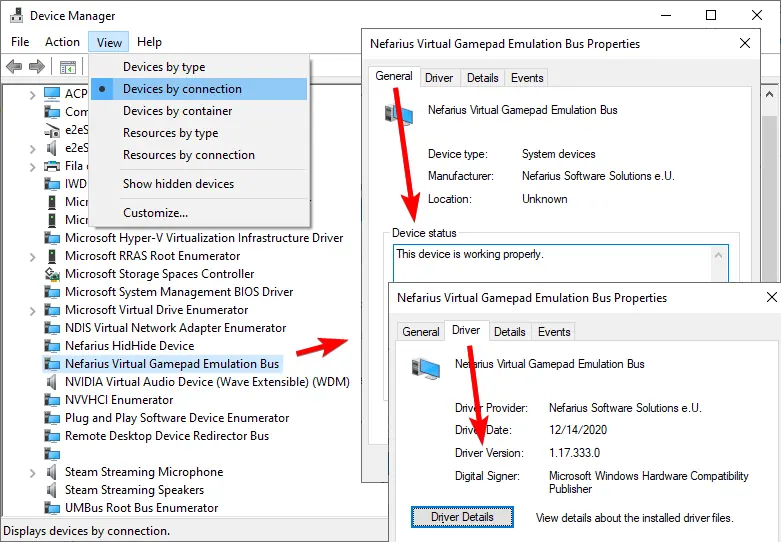
Open Device Manager and find Nefarius Virtual Gamepad Emulation Bus. In Properties, the General tab should report that the device is working properly and no warning icon should appear. This confirms the kernel device exists; a downloaded EXE or Installed apps entry alone does not provide the same evidence.
Start Sunshine only after this check. Reconnect Moonlight with a controller, then observe whether Windows or the target game receives a virtual controller. If Device Manager is healthy but only one game fails, investigate that game's controller support, Steam Input, focus, or duplicate-input handling rather than reinstalling ViGEmBus again.
- One healthy Nefarius virtual bus is visible.
- No yellow warning icon or error status appears.
- Sunshine started after the most recent reboot.
- Moonlight is configured to send controller input.
- The test game supports the selected virtual controller type.
Separate Sunshine, Moonlight, driver, and game failures
A clean diagnostic order prevents the broad label “controller not working” from hiding the actual layer. First prove the bus is healthy. Next prove Sunshine restarted after the driver loaded. Then prove Moonlight is sending a controller. Finally test whether Windows and the game accept the virtual device.
When streaming video works but the controller does not, the network path is not automatically the cause. When the controller appears in Windows but not in one game, the bus is not automatically the cause. Record the first layer that fails and repair only that layer.
| Test | Pass result | If it fails |
|---|---|---|
| Device Manager | One working Nefarius bus | Repair the driver installation |
| Sunshine restart | Host starts after reboot without dependency error | Review Sunshine logs and current documentation |
| Moonlight controller | Client sends input during the session | Check client controller settings and connection |
| Windows/game detection | A virtual controller is accepted | Review Steam Input, game support, focus, and duplicate devices |
Safe next steps for a retired Sunshine dependency
ViGEmBus is archived and no longer receives normal updates. That does not make the final official file disappear, but it means future Windows or Sunshine changes are not guaranteed to be supported. Keep Sunshine current from its own official project, and check its present documentation before assuming every new host issue needs a ViGEmBus reinstall.
Use the original GitHub source, keep one healthy bus entry, and avoid unsupported forks unless Sunshine's maintainers explicitly document one. For broader setup details, use the ViGEmBus installation guide; for the exact missing-driver message, use the not installed or running repair guide.
- Verified release: ViGEmBus v1.22.0, published November 2, 2023.
- Verified asset: ViGEmBus_1.22.0_x64_x86_arm64.exe.
- Verified size: 6,278,576 bytes, application/x-msdownload.
- Download action: stable official GitHub release asset, not a mirror.
- Freshness check date: July 30, 2026.
Sunshine and ViGEmBus FAQ
Does Sunshine need ViGEmBus?
On Windows, Sunshine uses a compatible virtual gamepad path when remote controller input must appear as a virtual controller. Video, keyboard, and mouse streaming can work even when the gamepad driver path is unavailable.
How do I fix Sunshine ViGEmBus error 1603?
Restart Windows, close Sunshine and controller tools, remove any registered ViGEmBus package normally, reboot, verify leftover Nefarius bus entries, and install the official v1.22.0 EXE once with administrator approval.
Will running Sunshine as administrator fix error 1603?
It can help when elevation is the only missing requirement, but it will not repair an existing package state, duplicate bus, damaged driver, or pending reboot. Verify the installer and device state as well.
Why does Moonlight still have no controller after ViGEmBus installs?
Confirm the bus works in Device Manager, restart Sunshine after the reboot, verify Moonlight sends controller input, and test Windows or another game. A healthy driver does not guarantee every client or game setting is correct.
What is the latest ViGEmBus version for Sunshine?
The latest and final official ViGEmBus release verified on July 30, 2026 is v1.22.0. The project is archived, so do not trust pages that claim an unverified newer official release.
Official sources used
Product and safety facts on this page are checked against first-party material. External sources open in a new tab.
- Sunshine documentation — Getting Started — Current first-party Windows host and setup context.
- Sunshine documentation — Troubleshooting — Current first-party troubleshooting context for controller and Windows host issues.
- Microsoft Learn — Error 1603 — Official explanation of common Windows Installer 1603 conditions.
- Nefarius ViGEmBus v1.22.0 release — Official release tag, date, notes, and downloadable asset.