
What BetterJoy and ViGEmBus each do
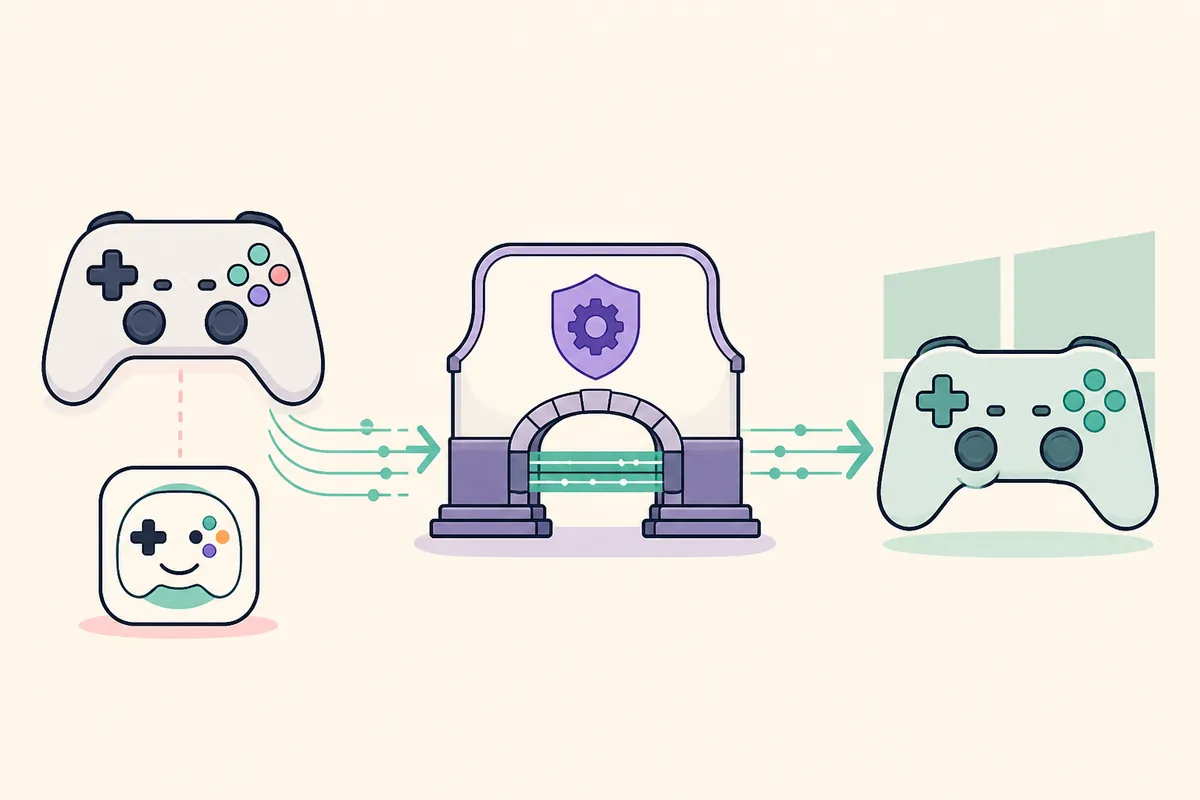
BetterJoy is the client; ViGEmBus is the Windows device layer.
BetterJoy reads a compatible Nintendo controller and applies the client-side mapping or output choice. ViGEmBus does not replace BetterJoy and does not provide a settings window. It creates the virtual Xbox 360 or DualShock 4 device that Windows and games can detect.
That separation explains why BetterJoy can see a physical controller while still reporting that ViGEmBus cannot start. The input layer is working, but the virtual-output layer is unavailable. Diagnose the client, the Windows bus and the final game output as three separate checks.
The official BetterJoy project is a separate application from the official ViGEmBus driver. Keep their source and version decisions separate: use the BetterJoy project's own documentation for the client, and use the original Nefarius release for the retired ViGEmBus driver.
| Layer | What it does | Typical symptom |
|---|---|---|
| Physical controller | Sends buttons, sticks and motion to BetterJoy | The controller is absent or disconnected |
| BetterJoy | Reads input and requests virtual output | BetterJoy opens but reports a ViGEmBus error |
| ViGEmBus | Creates the Windows virtual gamepad | No virtual controller or a bus warning in Device Manager |
Install ViGEmBus for BetterJoy in the right order
Use the final official ViGEmBus v1.22.0 asset from the original GitHub repository. The file is `ViGEmBus_1.22.0_x64_x86_arm64.exe`, about 6.0 MB, and packages the supported x86, x64 and ARM64 installer targets. The project is archived, so this is a final release rather than a driver that is still receiving updates.
Before running setup, close BetterJoy and other programs that might create virtual controllers. After setup finishes, restart Windows before judging the result. Then open BetterJoy, reconnect the physical controller and test its virtual output. A client that was left running during installation can keep the old bus state in memory.
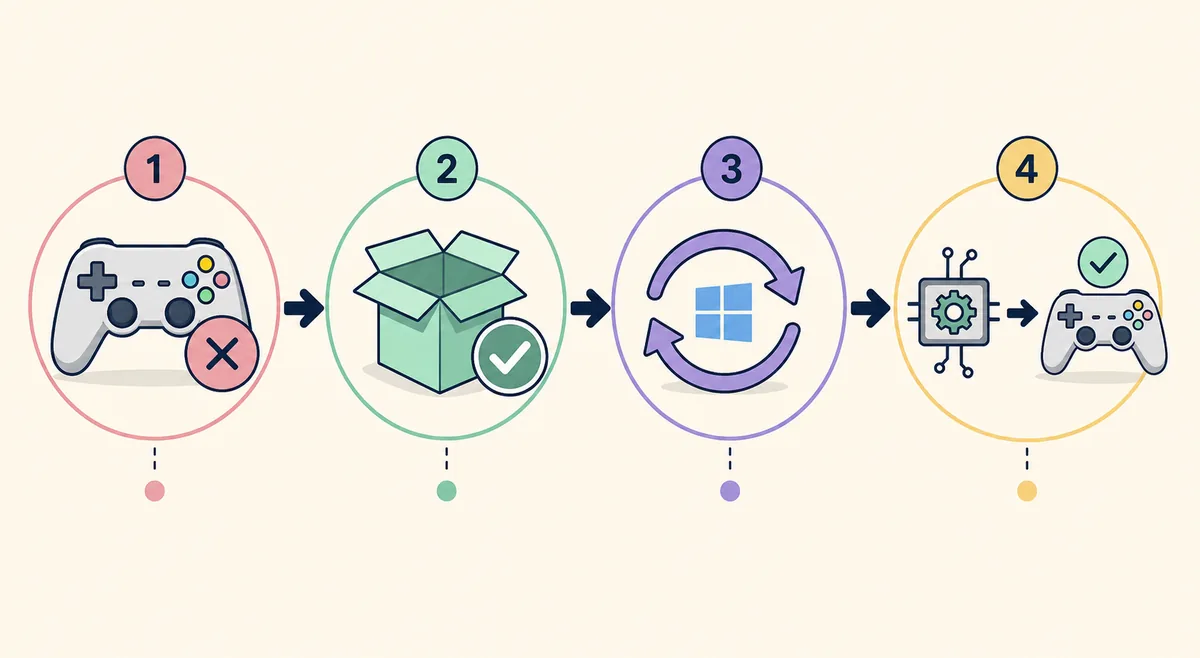
- 1
Close BetterJoy completely
Exit the window and check the notification area or Task Manager for a remaining BetterJoy process.
- 2
Run the verified installer
Open the official GitHub asset and confirm the publisher and file name before approving elevation.
- 3
Restart Windows
Do not skip the reboot after a driver install or removal.
- 4
Reconnect and test
Start BetterJoy after reboot and check whether a single virtual controller is produced.
Verify the bus before changing BetterJoy settings
Start with Windows, not with random BetterJoy configuration changes. In Settings > Apps > Installed apps, look for the Nefarius ViGEmBus product entry. This shows that Windows knows about the package, but it does not prove that the kernel device started correctly.
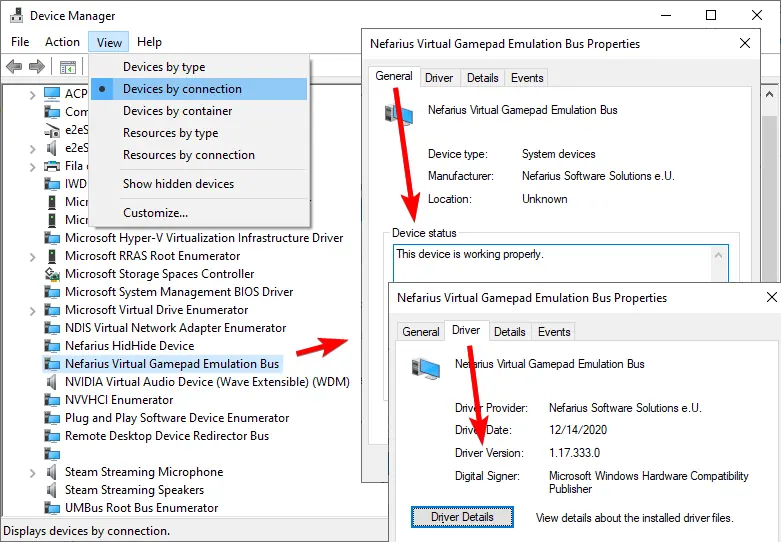
Next open Device Manager and find Nefarius Virtual Gamepad Emulation Bus. Open Properties and read Device status. A healthy device with no warning icon is stronger evidence than an installer that merely completed. Finally return to BetterJoy and test whether it can create the expected virtual controller.
Use the three checks together: product registration, bus health and client output. If the first two pass but BetterJoy still fails, investigate the BetterJoy build, permissions, controller profile or a competing mapper instead of reinstalling ViGEmBus repeatedly.
- Installed apps contains the Nefarius product entry.
- Device Manager shows one healthy Nefarius virtual bus.
- BetterJoy starts after the latest Windows reboot.
- The physical controller is detected by BetterJoy.
- A single intended virtual controller appears during the test.
Fix “could not start ViGEmBus” in BetterJoy
Move from the least invasive check to a clean reinstall only when the evidence requires it.
If BetterJoy says it could not start ViGEmBus, first close BetterJoy fully and restart Windows. A driver installed while the client was open can be invisible to that process until it starts again. Also close DS4Windows, Sunshine, Apollo, XOutput and other tools that may compete for virtual-controller output.
If the message remains, inspect Device Manager. A missing bus, a yellow warning icon or multiple Nefarius entries points to a Windows driver state problem. An ordinary uninstall through Installed apps, a reboot, a second Device Manager check and a fresh run of the official v1.22.0 setup are safer than deleting random driver files.
If Device Manager shows one healthy bus, stop reinstalling. Review BetterJoy's own configuration and current project documentation, check that the physical controller is actually available, and test with other virtual-controller tools closed. The virtual bus can be healthy even when the client profile or controller backend is not.
| Symptom | Likely cause | Next action |
|---|---|---|
| BetterJoy says it cannot start ViGEmBus | Stale client or bus not loaded | Close BetterJoy, reboot, verify Device Manager, restart BetterJoy |
| Drivers are improperly installed | Duplicate or damaged package | Remove the registered package normally, reboot and install the final EXE |
| Physical pad works but no virtual pad appears | Output mode or client profile | Check BetterJoy output settings and competing mapper processes |
| Two gamepads appear | Physical and virtual devices are both exposed | Review the client output and hiding configuration; do not delete devices blindly |
Do you need a ViGEmBus file inside the BetterJoy folder?
No. ViGEmBus is a Windows kernel driver installed through its setup package. BetterJoy does not normally need you to copy `vigembus.sys`, an INF file or a DLL into a BetterJoy `drivers` folder. A folder question usually means the user has mixed instructions from a different application, an old bundle or an unofficial mirror.
Do not solve the message by downloading loose SYS or INF files, renaming a setup file or copying a driver from System32. Those files are tied to a signed installation and Windows driver registration. Use the original release asset, verify the publisher and let Windows manage the package.
If a particular BetterJoy build documents a bundled dependency, follow that project's own release notes rather than assuming the dependency is a file-copy step. The page's core rule remains stable: BetterJoy is the client, ViGEmBus is installed at the Windows level, and the two should be verified separately.
BetterJoy ViGEmBus troubleshooting matrix
The fastest repair depends on which layer fails. A physical controller problem is not fixed by installing ViGEmBus, and a healthy bus does not guarantee that BetterJoy has selected the right output. Use the smallest action that matches the symptom.
For a general “ViGEmBus is not installed or running” message, use the broader ViGEmBus error guide. For a clean installation sequence, use the general installation guide. This page stays focused on BetterJoy-specific interpretation and verification.
| What you see | Where to look first | Do not assume |
|---|---|---|
| BetterJoy cannot start the bus | Windows reboot and Device Manager | The Nintendo controller is defective |
| BetterJoy sees input but games see nothing | Virtual output mode and bus health | A second driver download is required |
| Driver folder advice appears online | Official BetterJoy and ViGEmBus docs | Copying SYS/INF files is a supported setup |
| A duplicate controller appears | Client mapping and hiding settings | Removing every HID or Nefarius device is safe |
| A healthy bus still gives a client error | BetterJoy version, profile and logs | ViGEmBus must be reinstalled again |
What not to do when BetterJoy needs ViGEmBus
Do not mix the final all-in-one EXE with old architecture-specific MSI packages unless an official document gives you a specific reason. The release version and the kernel driver-file version are different identifiers, so Device Manager does not have to display `1.22.0` as the driver-file version.
Do not remove HidHide, Bluetooth, Nintendo or other HID devices just because BetterJoy reports a virtual-bus problem. Those components have different jobs. Remove only the package or device that the evidence identifies, and create a restore point before deep cleanup.
Do not treat a third-party download page, generic driver updater or random YouTube fix as the authority for a kernel driver. Use the verified official GitHub download, then use BetterJoy's official project documentation for client-specific behavior.
- Do not copy a loose SYS, INF or DLL into the BetterJoy directory.
- Do not disable Windows driver-signature enforcement.
- Do not run several controller mappers at once during diagnosis.
- Do not call a healthy Device Manager bus broken without testing BetterJoy output.
- Do not claim that ViGEmBus 1.22.0 is a new actively maintained release.
BetterJoy and ViGEmBus FAQ
Does BetterJoy need ViGEmBus?
BetterJoy may need a virtual gamepad bus for the output mode used by your setup. When it reports that it cannot start ViGEmBus, verify the Windows bus and the BetterJoy client separately.
Do I put the ViGEmBus driver in the BetterJoy drivers folder?
No. Install ViGEmBus through the official Windows setup. Do not copy SYS, INF or DLL files into a BetterJoy folder unless the BetterJoy project's own current documentation explicitly describes a different dependency.
Why does BetterJoy say that ViGEmBus drivers are improperly installed?
The package may be missing, duplicated, damaged, or not visible to the running BetterJoy process. Close BetterJoy, reboot, check Device Manager and use the official final setup only if the Windows device state needs repair.
Will installing ViGEmBus update BetterJoy?
No. ViGEmBus and BetterJoy are separate projects. Installing the final ViGEmBus driver changes the Windows virtual-device layer; follow the BetterJoy project's own release guidance for the client.
What if Device Manager shows a healthy bus but BetterJoy still fails?
Stop reinstalling the driver. Check the BetterJoy controller connection, output mode, profile, permissions and competing mapper processes, then consult the current BetterJoy documentation or logs.
Where is the official ViGEmBus file used by this guide?
The download button points to the verified v1.22.0 asset in the original nefarius/ViGEmBus GitHub release. It is not a mirror, repackaged installer or BetterJoy download.
Official sources used
Product and safety facts on this page are checked against first-party material. External sources open in a new tab.
- BetterJoy official GitHub project — client project and its own setup context
- ViGEmBus official GitHub README — virtual devices, client relationship and supported systems
- ViGEmBus v1.22.0 official release — final setup asset and updater removal
- Nefarius ViGEm installation guide — official installation and verification context
- Nefarius ViGEm end-of-life statement — retirement and legacy-updater context